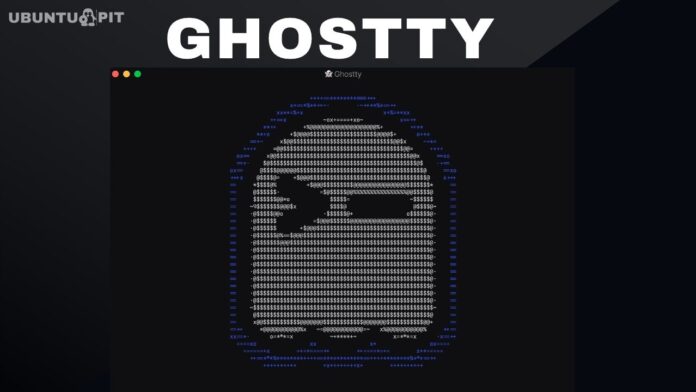
The popular GPU-accelerated terminal emulator Ghostty has landed under the universe pocket of the upcoming long-term support release. Ubuntu users can now install it directly through APT for the very first time.
Canonical engineer Pushkar Niranjan Kulkarni has announced that Ghostty is now officially available in the Ubuntu 26.04 LTS repositories. Ghostty can be installed using APT Package. Run the following command to install:
sudo apt install ghostty
This step marks a significant shift from how things worked before. Previously, getting Ghostty on Ubuntu meant relying on community-maintained PPAs, manual DEB downloads, or Snap packages. None of those routes went through Ubuntu’s official archive. That changes with Ubuntu 26.04 LTS.
The version landing in the archive is Ghostty 1.3.0. It is available for 64-bit systems on both amd64 and arm64 architectures. The universe pocket is not directly supported by Canonical, but it does receive security updates through Ubuntu Pro. That service is available free of charge for personal use.
Ghostty is a relatively young project, but it has grown quickly. Mitchell Hashimoto launched version 1.0 publicly in December 2024 under the MIT license. Hashimoto is best known as the co-founder of HashiCorp, the company behind Terraform, Vagrant, and Vault. Since the initial release, Ghostty has attracted millions of users across Linux and macOS.
The terminal emulator is written in the Zig programming language. On Linux, it uses OpenGL for GPU-accelerated rendering and GTK4 with libadwaita for its user interface. This makes it feel at home in GNOME-based desktop environments. There is no Electron wrapper involved, which matters a great deal for performance.
Ghostty separates its terminal engine into a core library called libghostty. The Linux application links against this library and is compiled as a single Zig unit.
On macOS, the same libghostty core powers a Swift-based application using AppKit and SwiftUI. This architecture is what allows Ghostty to feel genuinely native on both platforms.
Feature support is broad. Ghostty handles multi-window layouts, tabs, split panes, profiles, and color themes out of the box. It also supports ligatures, grapheme clustering for emoji, and the Kitty graphics protocol for rendering images directly in the terminal. Shell integration works automatically with bash, zsh, fish, and elvish.
Performance is a core design priority for the project. Ghostty uses a multi-threaded architecture with separate read, write, and render threads for each terminal session. Configuration lives in a plain-text file and follows a simple key-value format. Full documentation is available at ghostty.org for anyone getting started.
One thing to be clear about: Ghostty is not replacing anything. Ptyxis remains the default terminal emulator in Ubuntu 26.04 LTS, just as it has been since Ubuntu 25.04. Ghostty is offered as an alternative, particularly useful for users who work across both macOS and Linux regularly.
Hardware requirements are worth keeping in mind before installing. According to the announcement, Ghostty requires a graphics card with OpenGL 4.3 support or newer. Systems that fall short of this requirement can still run Ghostty, but only through software rendering mode. Users should verify compatibility before switching over. More details about Ghostty are available at ghostty.org.