The Kubuntu team released Kubuntu 26.04 LTS on April 23, 2026, marking the project’s eleventh long-term support release and the first KDE-focused LTS in two years. Codenamed Resolute Raccoon, it ships with KDE Plasma 6.6, Linux kernel 7.0, and free security updates through April 2029.
For users still on Kubuntu 24.04, the jump is a significant one.
That release shipped with Plasma 5.27. Moving to 26.04 means landing on Plasma 6.6, a full generation ahead, built on Qt 6.10.2, KDE Frameworks 6.24.0, and the KDE Gear 25.12.3 application suite. Everything from the compositor to the core applications has been rebuilt around Qt6, and the difference is noticeable in day-to-day use.
Wayland is now the only officially supported session. The X11 session is not installed by default and receives no support from the Kubuntu team going forward. Users who genuinely need X11 for specific legacy workflows can still install the plasma-session-x11 package manually from the Ubuntu archive, but they are doing so without a safety net.
For the vast majority of desktop users, Wayland delivers a cleaner, more secure experience with better HiDPI handling and smoother rendering across the board.
Plasma 6.6 brings a handful of additions that will be immediately useful to many people. The most visible is OCR support in Spectacle, the default screenshot tool.
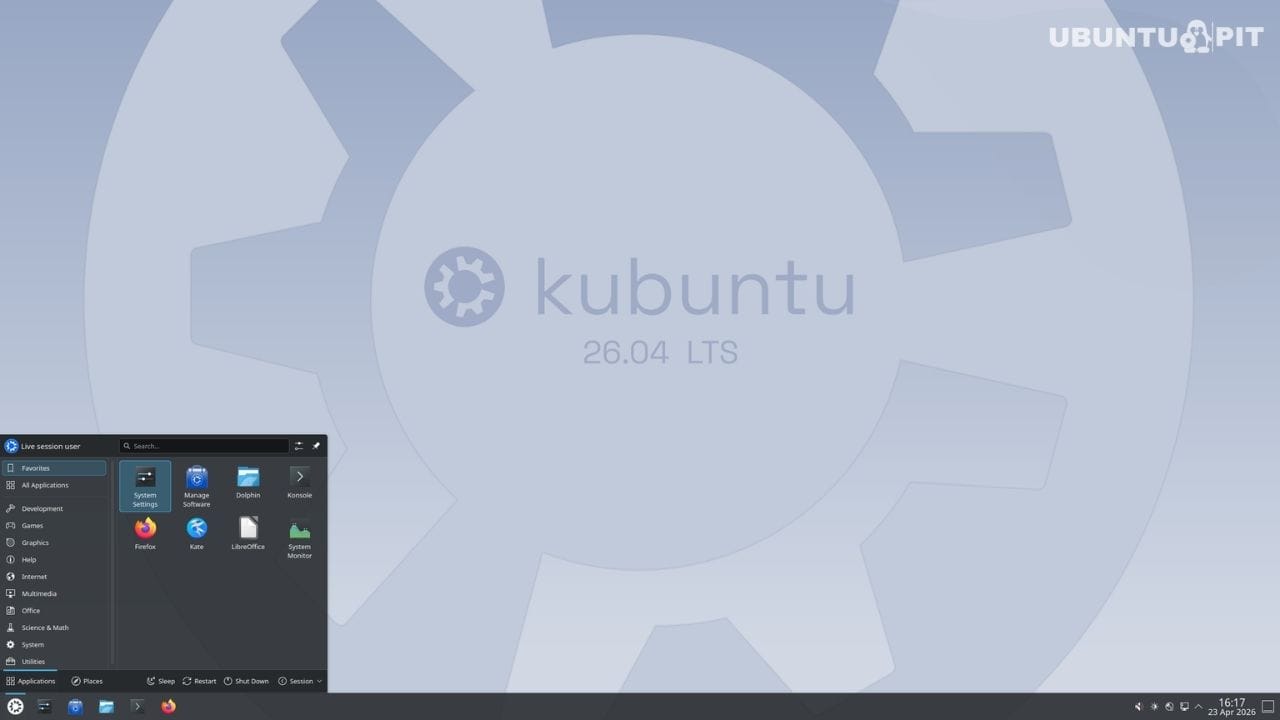
After capturing any image containing text, Spectacle can now extract that text directly into a copyable, selectable format without requiring any third-party software. It works across multiple languages, provided the relevant Tesseract language package is installed.
A new integrated on-screen keyboard is another addition worth mentioning. It supports multiple layouts, positions itself intelligently to avoid obscuring active input fields, and exposes standard keys, function keys, and emojis in one accessible panel.
For touchscreen machines and users with accessibility requirements, this fills a gap that previously needed workarounds.
Plasma 6.6 also introduces a first-run setup wizard called Plasma Setup, replacing the older Calamares-based wizard on fresh installations. New installs on KDE Plasma now walk through account creation and initial preferences in a native Plasma environment rather than a separate general-purpose tool.
Under the hood, Linux 7.0 brings meaningful changes to how the system behaves. The NTSYNC kernel driver handles Windows synchronization primitives at the kernel level, reducing CPU overhead for games running through Wine or Proton.
The sched_ext scheduling framework lands as well, enabling hot-swappable eBPF-based schedulers for users who want fine-grained control over how the kernel distributes CPU time. Crash dumps are enabled by default on desktop installations for the first time, which should make debugging hardware and software issues considerably easier.
The linux-lowlatency package is retired in this release. Its functionality is absorbed into the linux-generic kernel via a leaner low-latency tuning approach. Users who installed Linux-lowlatency explicitly on older systems should review this before upgrading.
Core applications have been updated alongside the platform. Firefox 150 is included, delivered as a Snap from the Snap Store as is standard on Ubuntu-based systems. LibreOffice 26.2 ships in the full installation.
Konsole continues as the default terminal, while KDE Gear applications, including Dolphin, Okular, Kdenlive, and NeoChat, have all been updated to version 25.12.3.
On the security side, Kubuntu 26.04 inherits Ubuntu’s platform-level improvements. The sudo-rs memory-safe Rust reimplementation of sudo is now the default provider, and core system utilities ship through rust-coreutils. VA-API hardware video acceleration is enabled by default for AMD and Intel users, covering both encoding and decoding without additional configuration.
One practical note for anyone upgrading rather than doing a fresh install: the Kubuntu team strongly recommends clearing the ~/.config directory before logging into the upgraded desktop for the first time.
Configuration files from Plasma 5.x or earlier Plasma 6.x versions can cause broken panel layouts, visual glitches, and misbehaving themes after the upgrade. Back up the folder first, then remove it before the first login.
Kubuntu 26.04 LTS is available now as a free download. ISO and torrent links for amd64 systems are live today. Full details on everything included in this release are available in the official Kubuntu 26.04 LTS release notes.