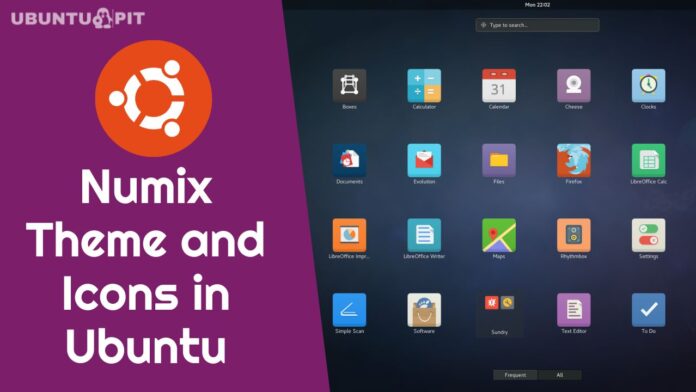
Numix theme suits are among the best Linux themes available out there. This theme offers a unique flat approach that gives any Linux distro a stunning look and feel. It’s so popular that many Linux distros come with Numix theme suits by default. A few parts of this theme are based on elementary, humanity, and gnome icon themes.
Numix theme suit comes with 4 independent components:
- Numix GTK Theme
- Numix Icon Theme
- Numix Circle Icons Pack
- Numix Square Icons Pack


The Numix gtk theme has not been updated for some time, but other packages are updating continuously. Numix theme suit comes with two different options: Distro Packages and Nightly Packages.
If you are using Ubuntu Linux, Debian, Fedora, or any other Linux derivatives, then you can install Numix theme and icon packages using official repositories. On the other hand, you can install its nightly packages using official Numix PPA on Linux Mint, ElementaryOS, or any other Ubuntu derivatives.
I am going to show you all the options to install Numix theme suits on your Ubuntu Linux and other distros.
Distro Packages
For Ubuntu and Debian, run the following command:
sudo apt install numix-gtk-theme
sudo apt install numix-icon-theme
sudo apt install numix-icon-theme-circle
sudo apt install numix-icon-theme-square
For Fedora, run the below command:
sudo dnf install numix-gtk-theme
sudo dnf install numix-icon-theme
sudo dnf install numix-icon-theme-circle
sudo dnf install numix-icon-theme-square
For Gentoo Linux, run the following command:
sudo emerge -a numix-icon-theme-circle
Official Numix PPA
sudo add-apt-repository ppa:numix/ppa
sudo apt-get update
sudo apt-get install numix-gtk-theme
sudo apt-get install numix-icon-theme
sudo apt install numix-icon-theme-circle
sudo apt install numix-icon-theme-square
Install Manually on Any Linux Distros
Step – 1: Download the release packages from the following official link: Numix GTK Theme, Numix Icon Theme, Numix Circle Icons Pack, Numix Square Icons Pack.
Step – 2: Extract to “/usr/share/themes” or “~/.themes” (make this folder without a quote, if necessary). For Icon, extract here “/use/share/icons“
Step 3: Use Distribution-specific tools to make the change. You can use the GNOME Tweak Tool for Ubuntu to make the change.
For more information, follow How To Use Themes and Icons on Various Linux Desktop
Would you mind doing me a sweet favor and tapping the Social Share Button if you learned something new? It’d mean so much to me. Thanks again for spending part of your day here. Hope to see you come back. 🙂



thanks a lot!!
thank you for your tips, they are good for my fedora distro, thanks