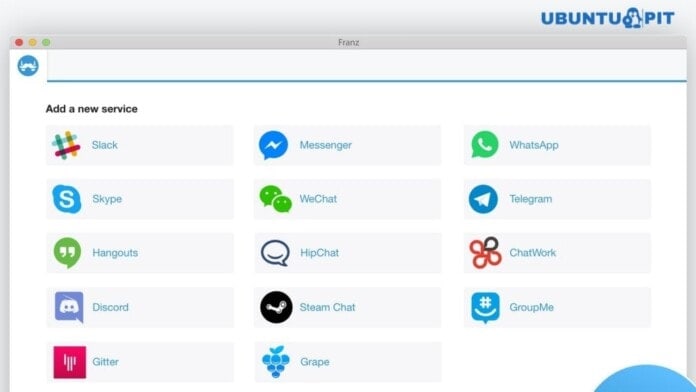
Franz is a free, open-source, multi-platform supported messaging app for Linux, Windows, MacOS, etc. If I say that it’s a chat or messaging app, it might be a bit wrong information. Because this app is not a standalone messaging software; instead, it’s a host application that supports hundreds of online chat and messaging services into one software.
There are many interesting and useful chat and messaging apps available in the market that provides a different taste and a handful of features that keep them apart. For fulfilling the various user-specific task, you might be using a set of different chat and messaging apps. But to keep pace with these apps all the time seems difficult, time-consuming, and resource-hog for the system.

To overcome this situation, It comes as an avatar in your life. Franz currently supports various top trending chat and messaging apps, including FB messenger, Slack, WhatsApp, HipChat, WeChat, Telegram, Skype, Google Hangout, and much more. Franz covers both personal interest and team purposes through easy to use and simple interface. Using this app, you just can’t miss any communication with your friends or discussion within the teams.
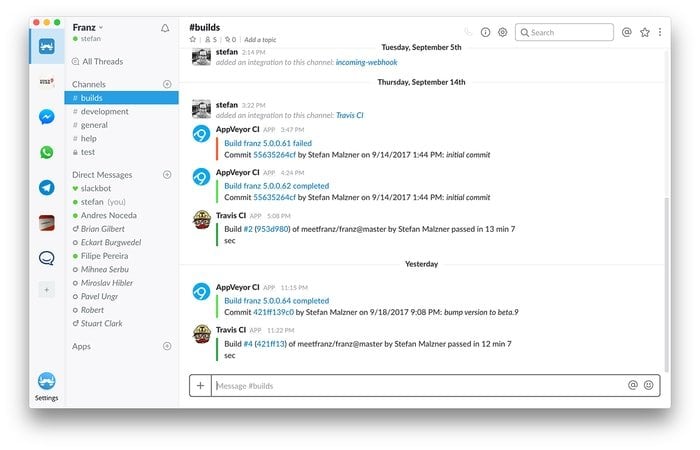
It offers built-in sync features, which means it can sync all the chat and messages when you first login into the Franz account across the OS platform and devices. Do you need any custom features or extended features? No problem. Franz is there to cover you as well. It has an extensive plugin architecture, which will let you have extended services and features for user and task-specific requirements.
Install Franz in Ubuntu Linux
You can now install this app community edition on Linux by using the .deb package or AppImage. In case if you don’t know how to use these package systems, follow my tutorial on how to install software in Linux. Now download your desired software package from the below link.
Download Franz for Ubuntu Download Franz AppImage
Resource Link: Can’t Install .deb files on Ubuntu? Here are all the Possible Ways to Install deb Packages
Is this review or tutorial helpful? If so, please make time to share it on your social media. And don’t forget to share your experience while using Franz in the comment below.




Franz is a messaging app for WhatsApp, Facebook Messenger, Slack, Telegram and many many more.
Follow the below steps to install Franz Messenger App in Ubuntu 18.04:
sudo apt-get update
wget https://github.com/meetfranz/franz-app/releases/download/4.0.4/Franz-linux-x64-4.0.4.tgz
mkdir franz
tar -xzvf Franz-linux-x64-4.0.4.tgz -C franz/
cd franz/
~/franz$ ls
~/franz$ ./Franz